
Friends and visits
Pelicook is more fun together. Add friends, visit their restaurants and let them visit yours.
Add friends
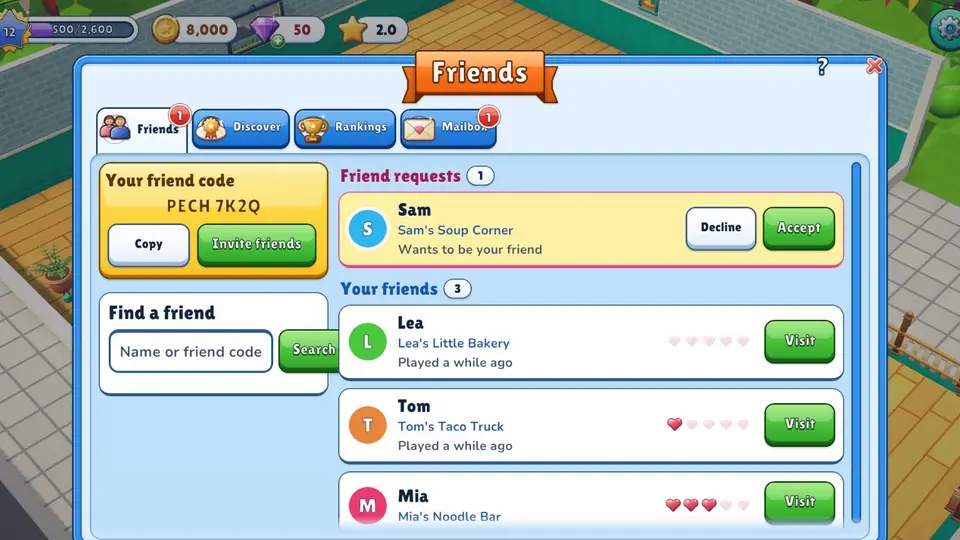
- Open Friends. Your friend code is at the top (for example PECH 7K2Q).
- Share your code, or tap Invite friends to share a link.
- To add someone, type their name or friend code under Find a friend.
When a friend joins with your link and reaches level 5, you both get a reward!
Visit a restaurant
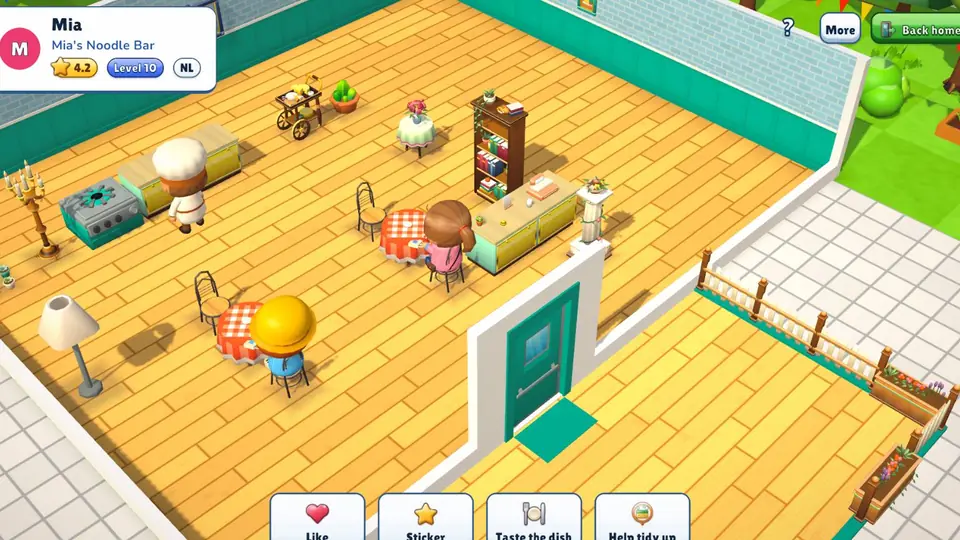
Tap Visit next to a friend. In their restaurant you can:
- leave a like;
- leave a sticker, like "Yum!", "So cozy" or "Chef's kiss";
- taste the dish;
- help tidy up.
Discover
Want to look around? Open Discover. Tap Surprise me! and Peli picks a random restaurant for you, or pick one from Trending now.
Mailbox
Gifts from friends and news about your visitors wait in the Mailbox. Tap Claim to collect a gift.
Safety
- In Settings you choose if your restaurant shows up in Discover. Friends and people with your code can always visit.
- Someone being unkind? You can block or report them. A blocked player cannot visit you, and you can unblock them any time in Settings.